June 12, 2021 1 min read 294 words
Setup your app on Google Domains with Layer0

Rishi Raj Jain @rishi_raj_jain_
So recently, I bought rishi.app with Google Domains (opens in a new tab), and it was super easy to get my portfolio (opens in a new tab) to production with Layer0 (opens in a new tab) as the developer-first deployment platform, and obviously Next.js (opens in a new tab) the #1 react framework (well for me)!
Why Layer0 for deployment?
- Framework Independent (opens in a new tab): Layer0 supports the most widely used technologies for building progressive web applications. React, Next, Vue, Nuxt, Angular, Sapper, Gatsby, Razzle, even Static HTML/JS!
- Real Time User Monitoring (opens in a new tab): One line code to measure Real-Time Core Web Vitals!
- EdgeJS (opens in a new tab): Clear caches, define own CDN rules, and cache splitting. Seems like a lot of power to developer already? Find many more reasons at https://www.layer0.co/products (opens in a new tab)
Why Next.js as my #1 React Framework?
- Incremental Static Regeneration, Pre-Rendering, Server Side Rendering (SSR): The performance-first configurations integrated intuitively. Read More On https://nextjs.org/docs/basic-features/data-fetching
- Automatic code splitting: The best automatic code splitting (opens in a new tab) till date.
- Hot Module Replacement (HMR): A fast refresh 100ms faster (opens in a new tab) than fast refresh itself.
Configuring Google Domains with Layer0
Steps on Google Domains
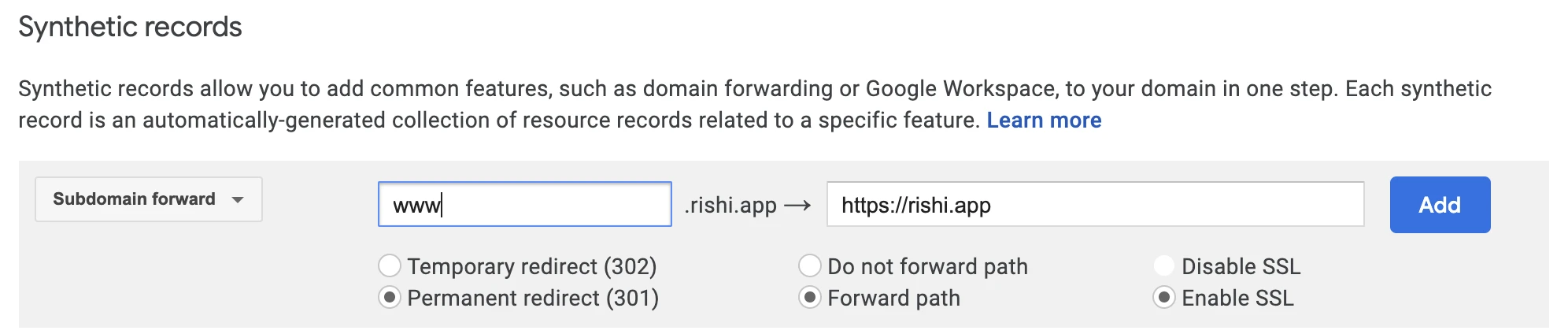
Add a synthetic record for subdomain forwarding:
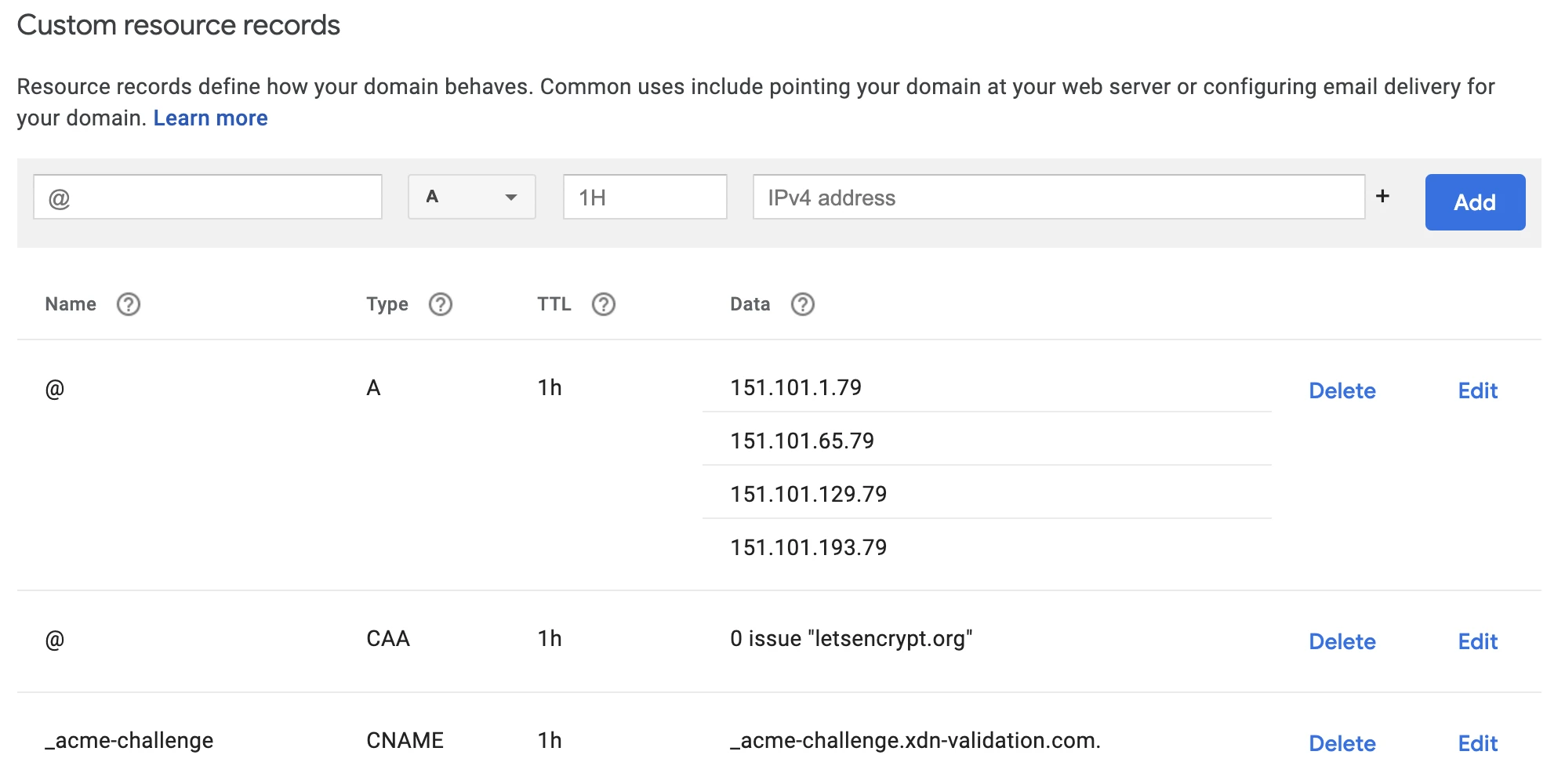
Add custom resource records for automatic TLS certification and hosting it on the apex domain:
Steps on Layer0
Deploy Your App (Or deploy an example Deploy To Layer0 (opens in a new tab))
Add domain in the settings tab of your project

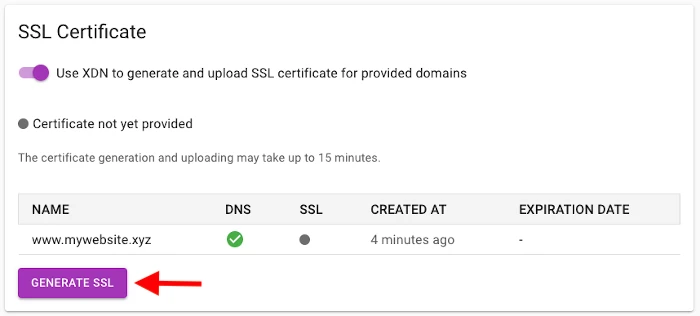
Configure TLS As you've already added the custom resource records, just click on Generate SSL
All set 🚀. Feel the speed now 🏎. Feel free to drop any feedback in comments!